How to pay
Pictures for every step. Pick your device. Then follow the numbers.
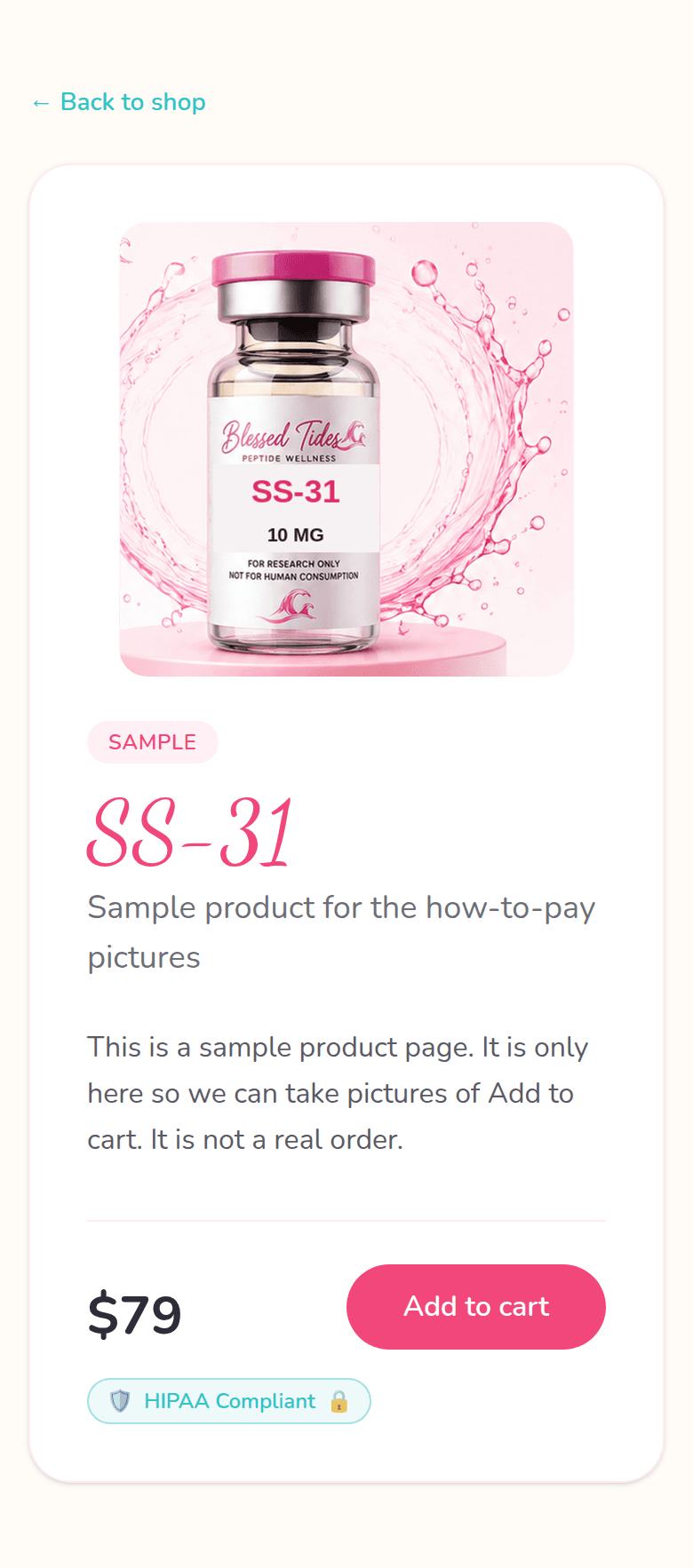
1Add to cart
On a product page, tap Add to cart.
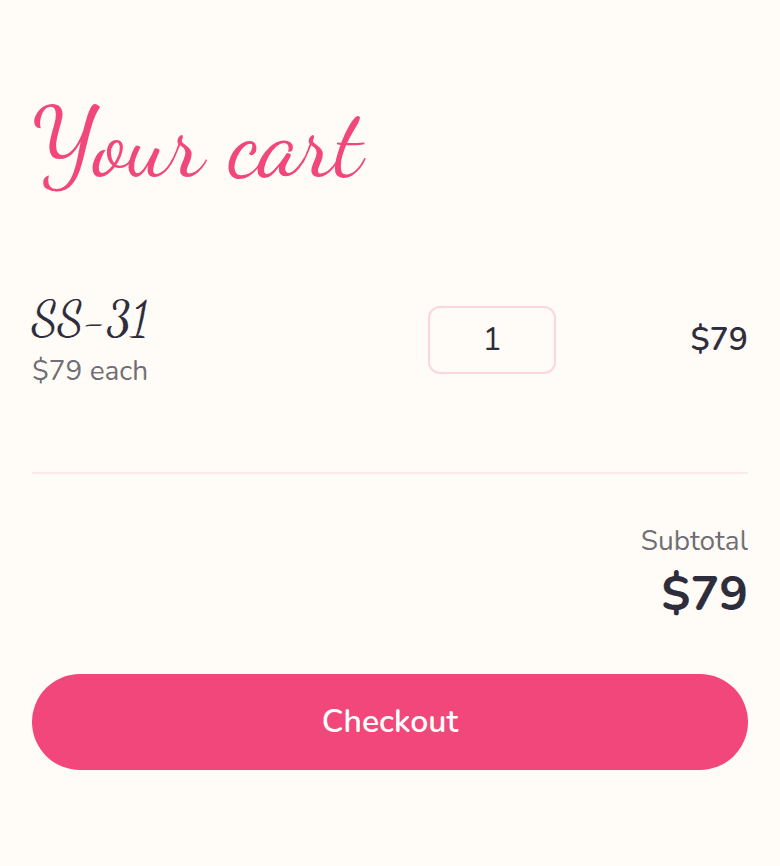
2Go to checkout
Open your cart. Tap Checkout.
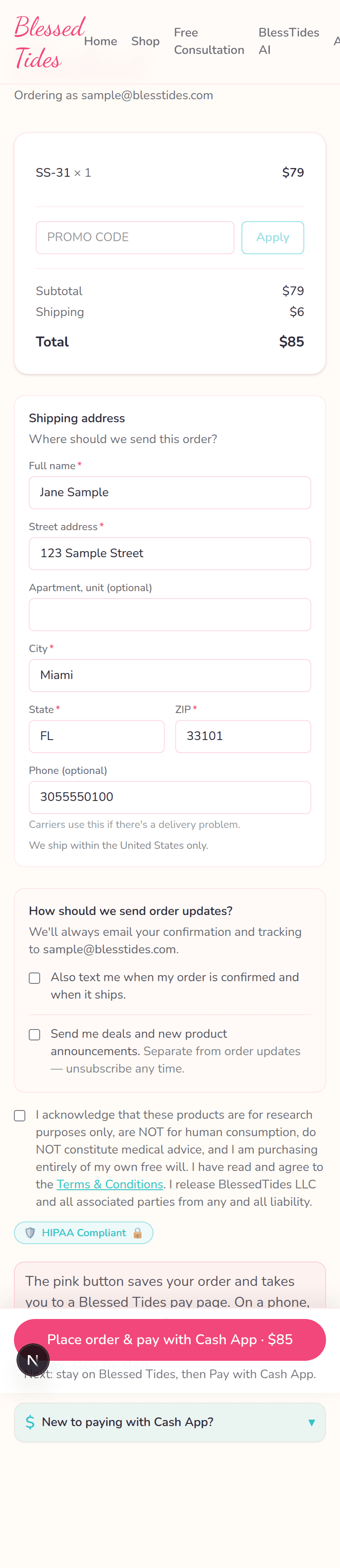
3Place your order
Fill your address. Tap Place order & pay with Cash App.
4Stay on Blessed Tides
You land on our pay page. The amount is already on the screen.
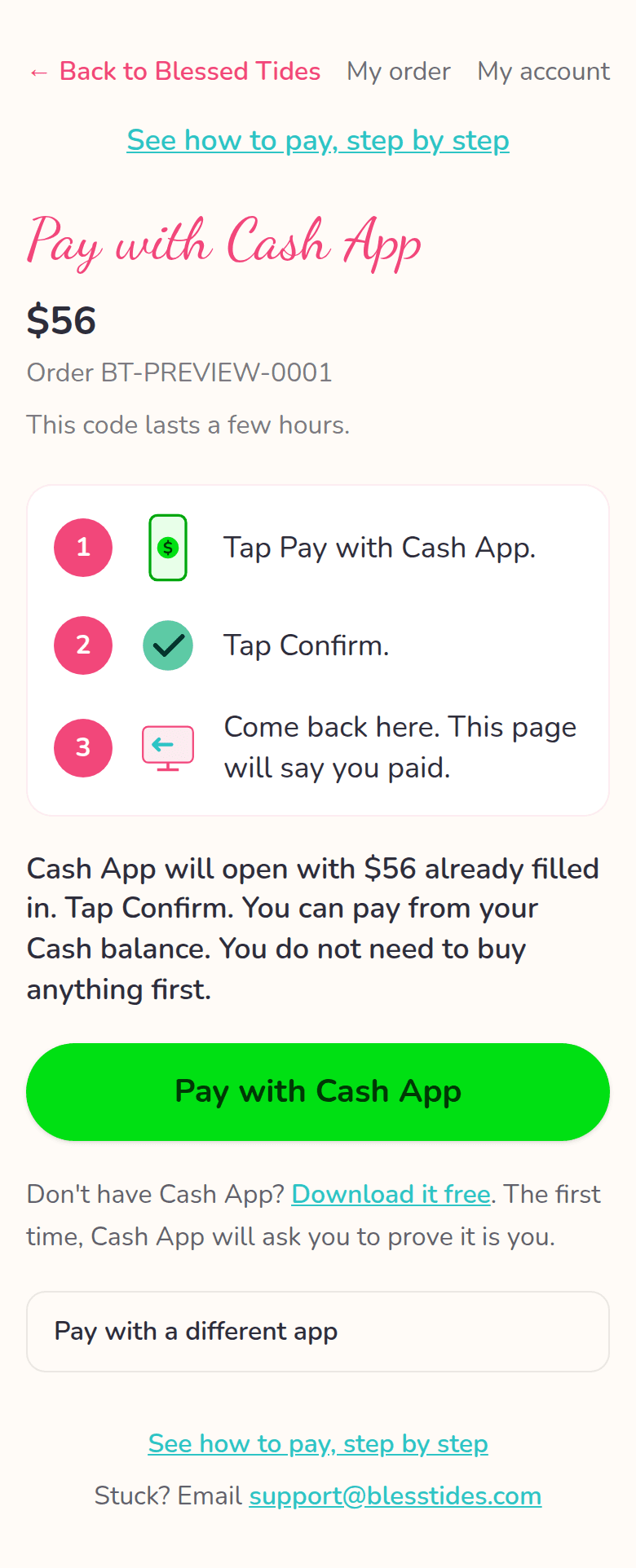
5Tap Pay with Cash App
Tap the big green button. Cash App will open with the amount already filled in. Tap Confirm.
6Cash App opens
Cash App opens with your total already filled in.
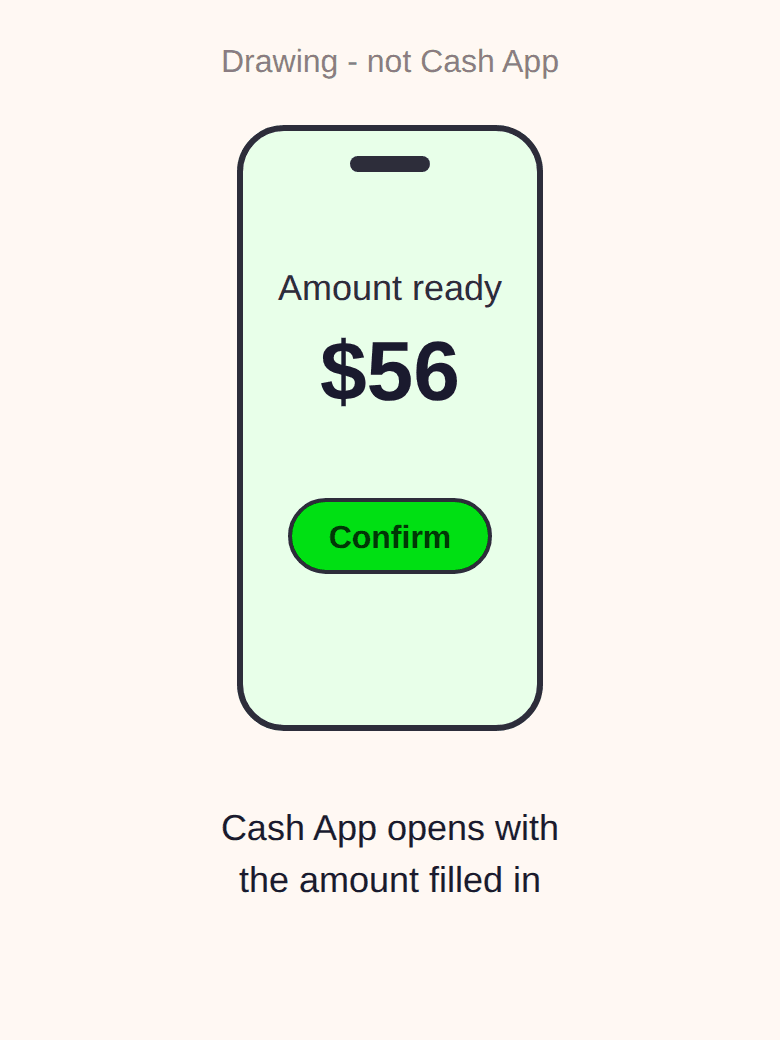
This is a drawing, not a Cash App screen. First time paying with Cash App? Cash App may ask you to take a quick photo of your ID. That's normal. It is Cash App's own safety step (not us), and you only do it once.
7Tap Confirm
Tap Confirm in Cash App.
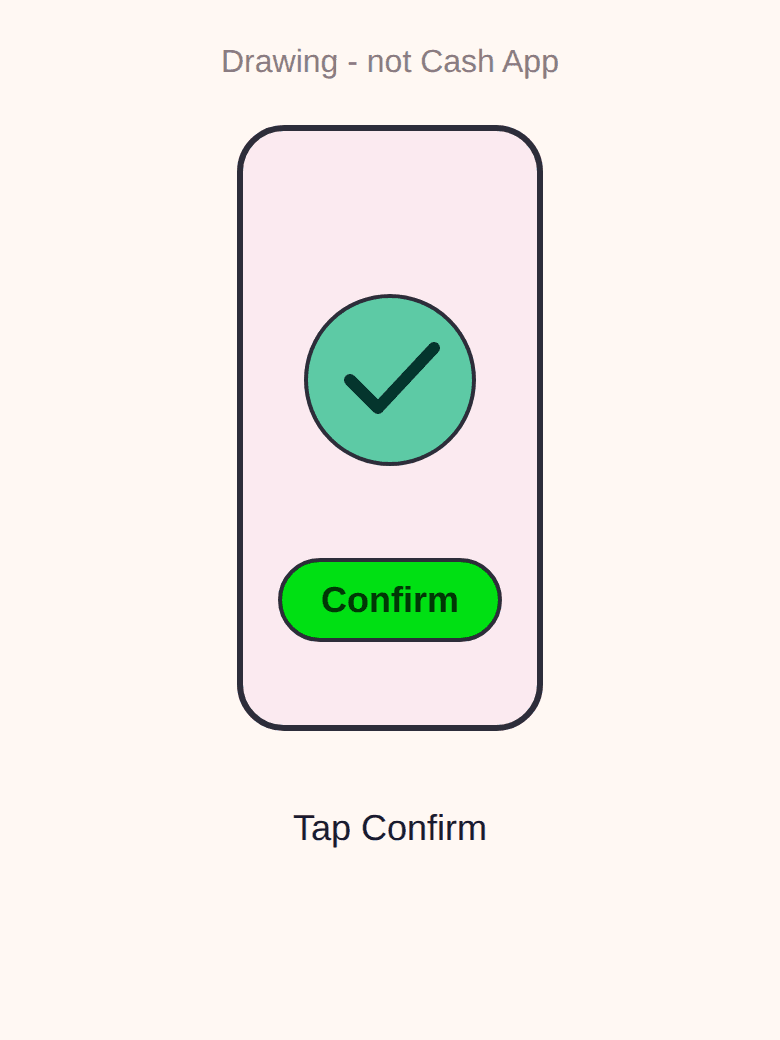
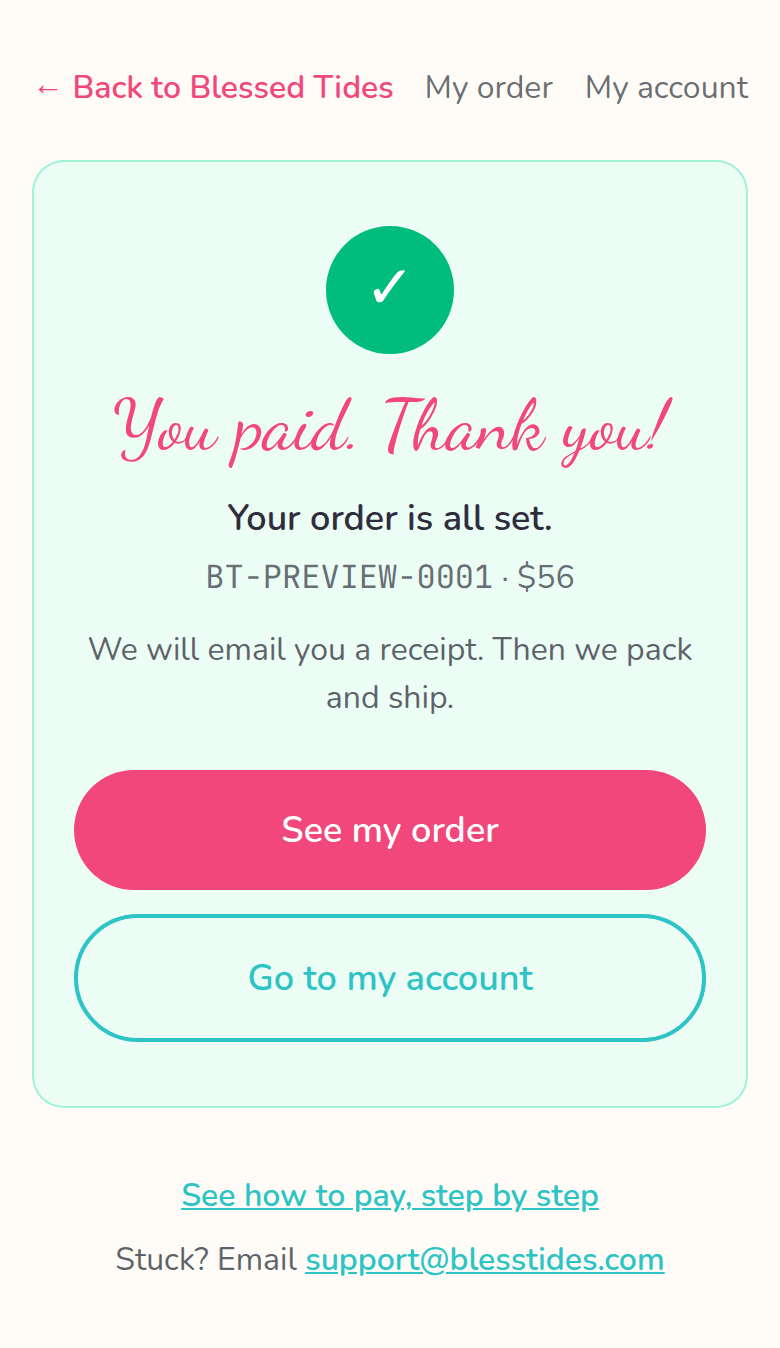
This is a drawing, not a Cash App screen. 8You paid
Come back here. This page will say You paid.
Don't have Cash App?
Download it free. The first time, Cash App will ask you to prove it is you. That is normal.
Download Cash AppStuck? Email [email protected]